
How to Translate a Whole Manga Chapter with AI (Video Guide)
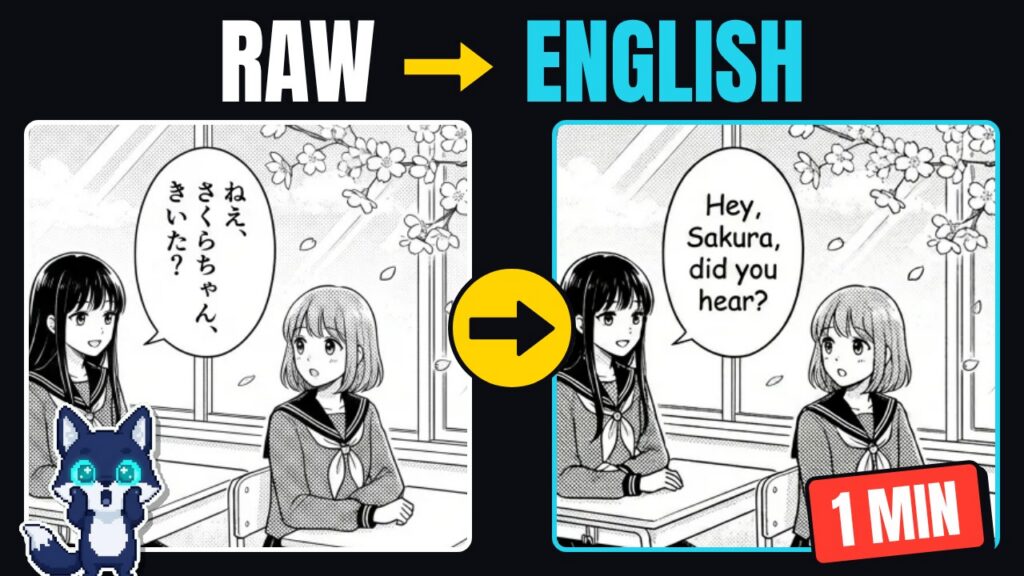
You found the chapter everyone is talking about, but it’s only out in the original Japanese, Korean or Chinese. The fan translation is weeks away, maybe months. This guide shows how to translate manga with AI, a whole raw chapter at once, in about a minute, and how to check the result so it actually reads well.
The short version: upload every page of the chapter to an AI manga translator, pick the source language and the language you want to read, let it translate and typeset each page, then fix any line you don’t like and download the chapter as a ZIP or PDF. Below is the full walkthrough, plus the mistakes that make AI translations look bad and how to avoid them.
Watch: a whole raw chapter translated in one minute
This 70-second video shows the full process on an 8-page chapter in MangaGloss, from dropping the raw pages to downloading the finished chapter.
Prefer reading? Every step from the video is written out below.
What an AI manga translator actually does
Translating a manga page is harder than translating a block of text. A good manga translator has to do four jobs, in order, for every speech bubble on every page:
- Find the text. Detect each speech bubble, caption box and narration block on the page, including vertical Japanese text and text that sits right on top of the artwork.
- Read the text (OCR). Turn the Japanese, Korean or Chinese characters into real text it can work with. Handwritten-style fonts and tiny furigana make this the step where cheap tools fail most.
- Translate it in context. Translate each line knowing who is speaking and what came before, so names, honorifics and tone stay consistent across the page.
- Typeset it back into the bubble. Erase the original text, then fit the translation inside the bubble at a readable size, without spilling over the art.
Old “image translator” apps do the first three steps and then paste a box of text over the page. That’s fine for a quick look, but it’s not something you want to read 40 pages of. A manga-specific tool does all four and gives you back pages that look like a normal translated chapter.
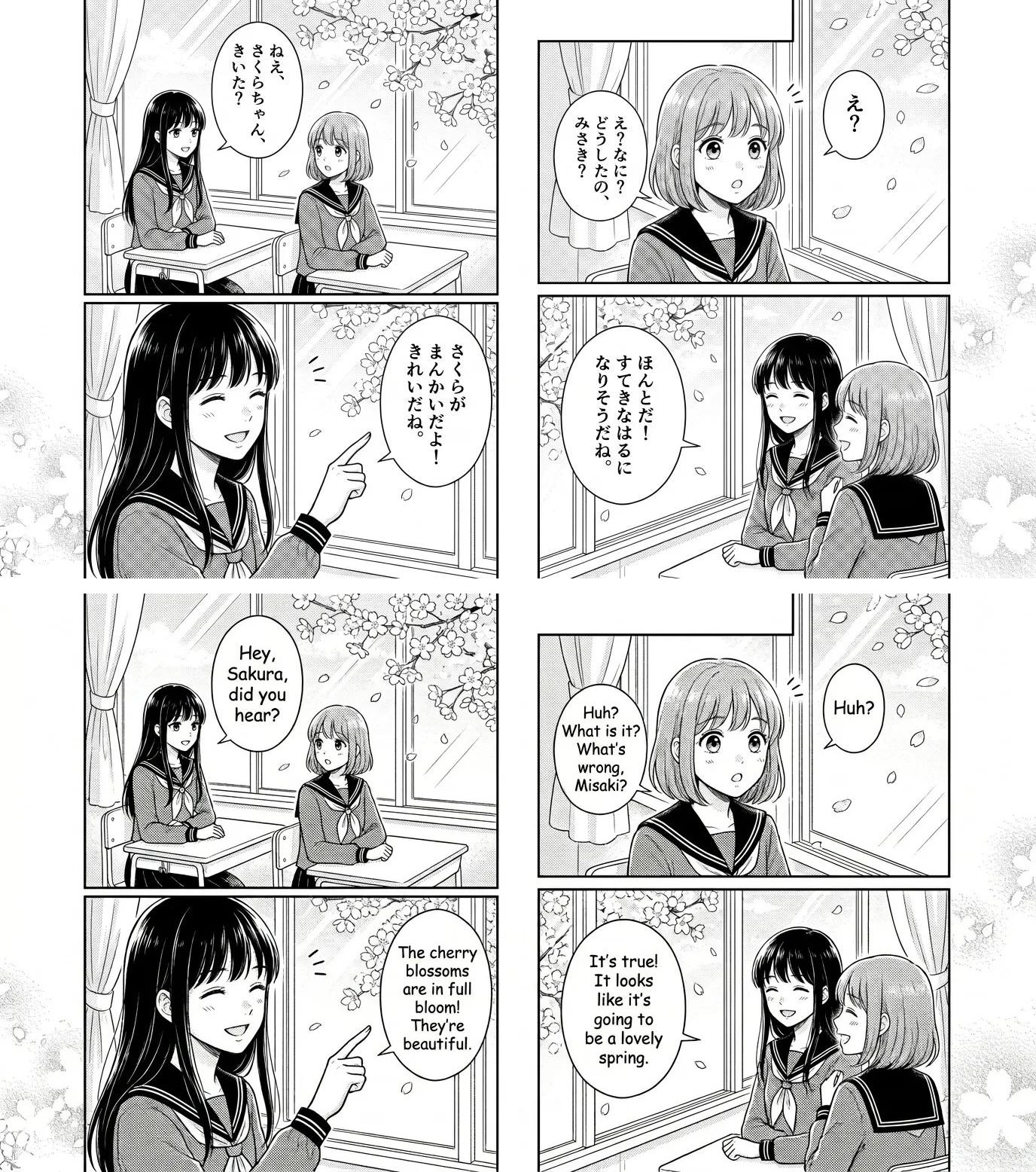
How to translate a whole manga chapter with AI (step by step)
Step 1: Collect the raw pages
Save the chapter’s pages as image files. PNG, JPG and WebP all work. Two quick tips that make a real difference to quality:
- Use the highest resolution you can get. Small, blurry pages make the OCR misread characters, and every misread character becomes a wrong word in the translation.
- Keep the pages in order and named with numbers (001.jpg, 002.jpg…). The translator sorts pages by name, and the finished ZIP and PDF follow that order.
Step 2: Drop the whole chapter at once
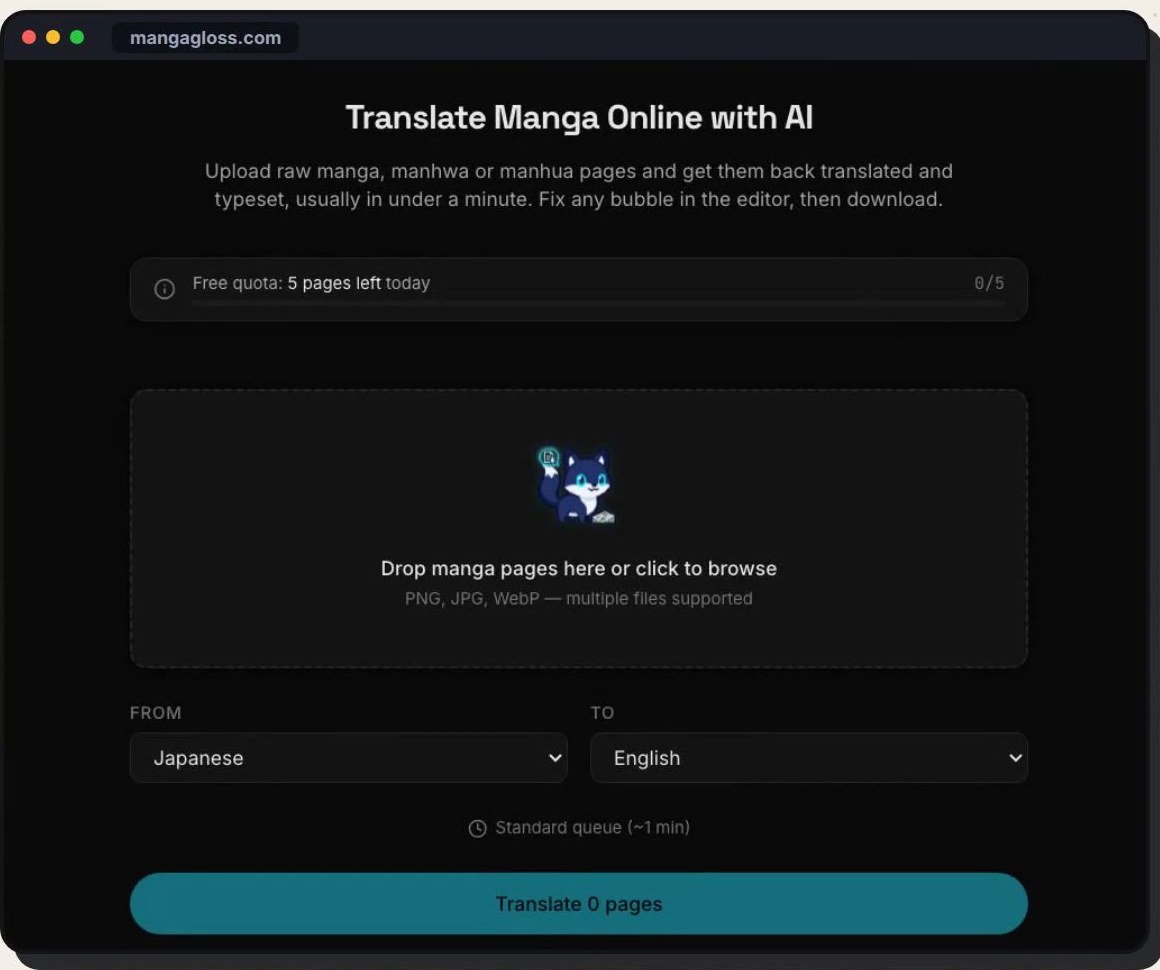
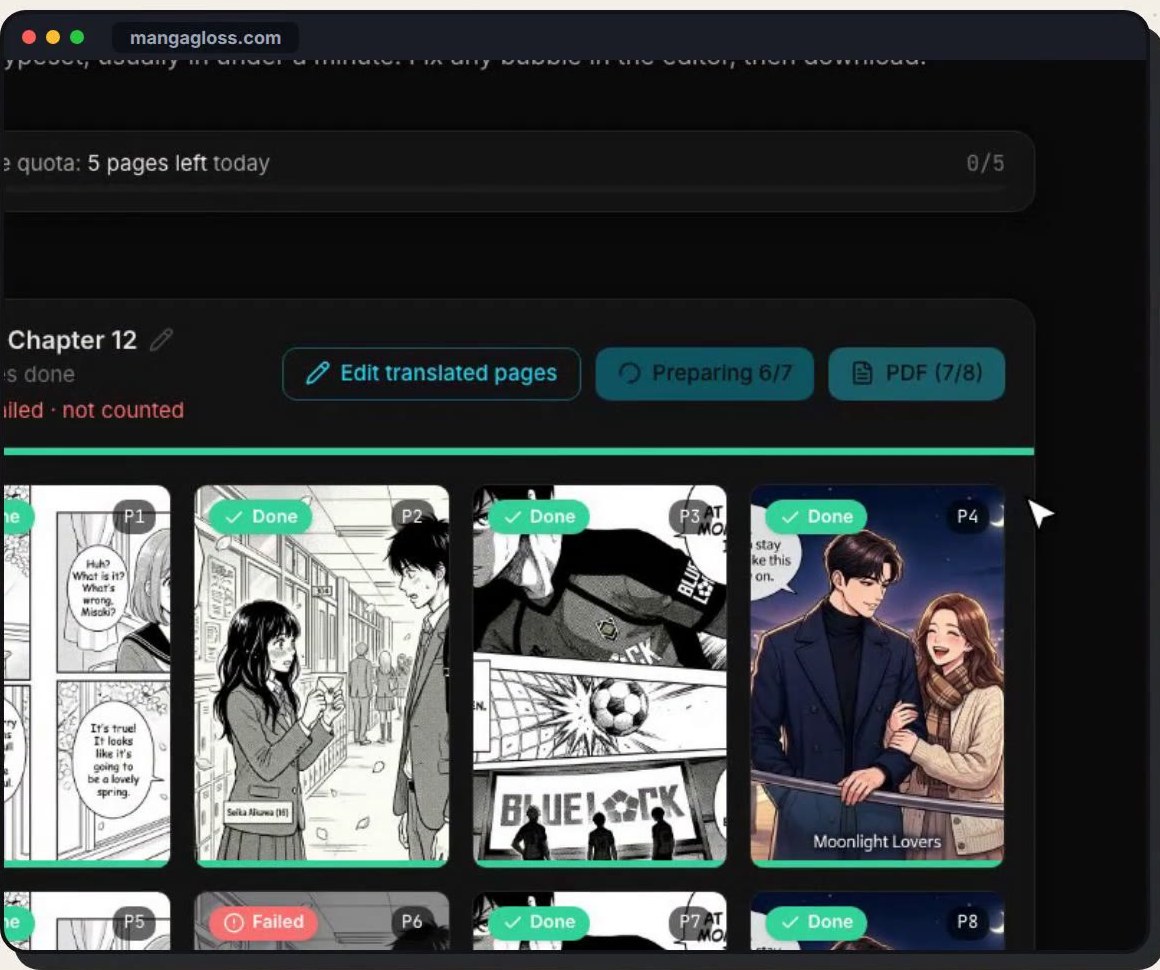
Open the MangaGloss translator and drag every page into the upload area, or click to browse and select them all. You don’t need to translate page by page: the whole chapter becomes one task with its own name, and every page gets its own card on the board.
Step 3: Pick the languages
Choose the language the manga is written in and the language you want to read. MangaGloss reads:
- Japanese manga, including vertical text (see the Japanese manga translator page),
- Korean manhwa and webtoons (Korean manhwa translator),
- Chinese manhua in Simplified or Traditional characters (Chinese manhua translator).
English is the most common target, but you can also translate into other languages such as Spanish, French or Portuguese.
Step 4: Watch every page translate live
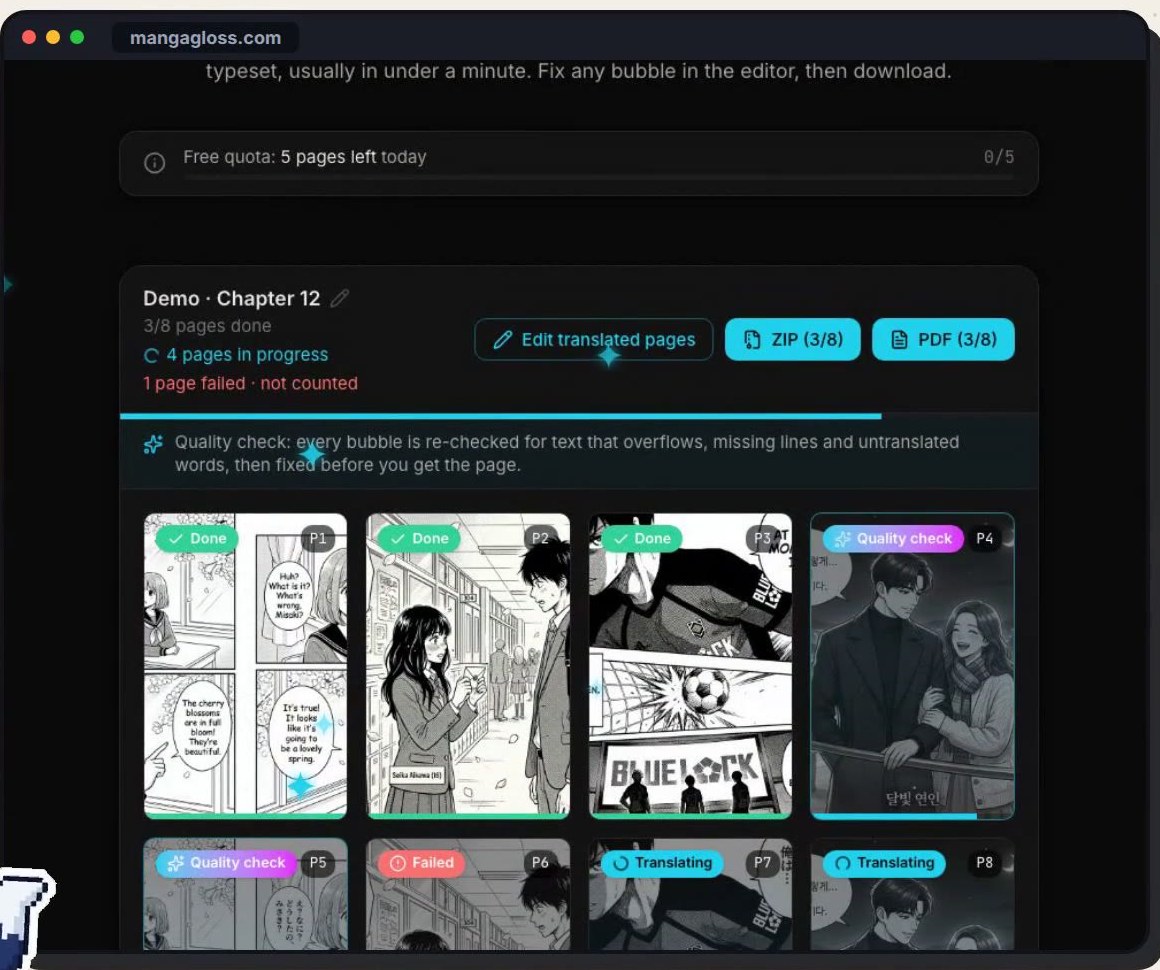
Once you start, each page card shows its own status: queued, translating, quality check, done. You can open finished pages while the rest of the chapter is still working, so you can start reading straight away.
Step 5: Let the quality check fix the usual AI mistakes
This is the step most AI translators skip. After a page is translated, MangaGloss re-checks every bubble for the three problems that make machine-translated manga look broken:
- Overflowing text: an English line is often longer than the Japanese original, so it spills out of the bubble.
- Missing lines: a small bubble or a caption that never got translated at all.
- Untranslated words: leftover Japanese, Korean or Chinese characters in the middle of an English sentence.
Any page with one of those problems is fixed before you see it. If a page can’t be processed at all, it’s marked as failed and isn’t counted against your pages.
Step 6: Compare with the original
Hold a finished page to see the original raw underneath. It’s the fastest way to spot a bubble that looks odd and check what the original actually said.
Step 7: Edit any line in the built-in editor
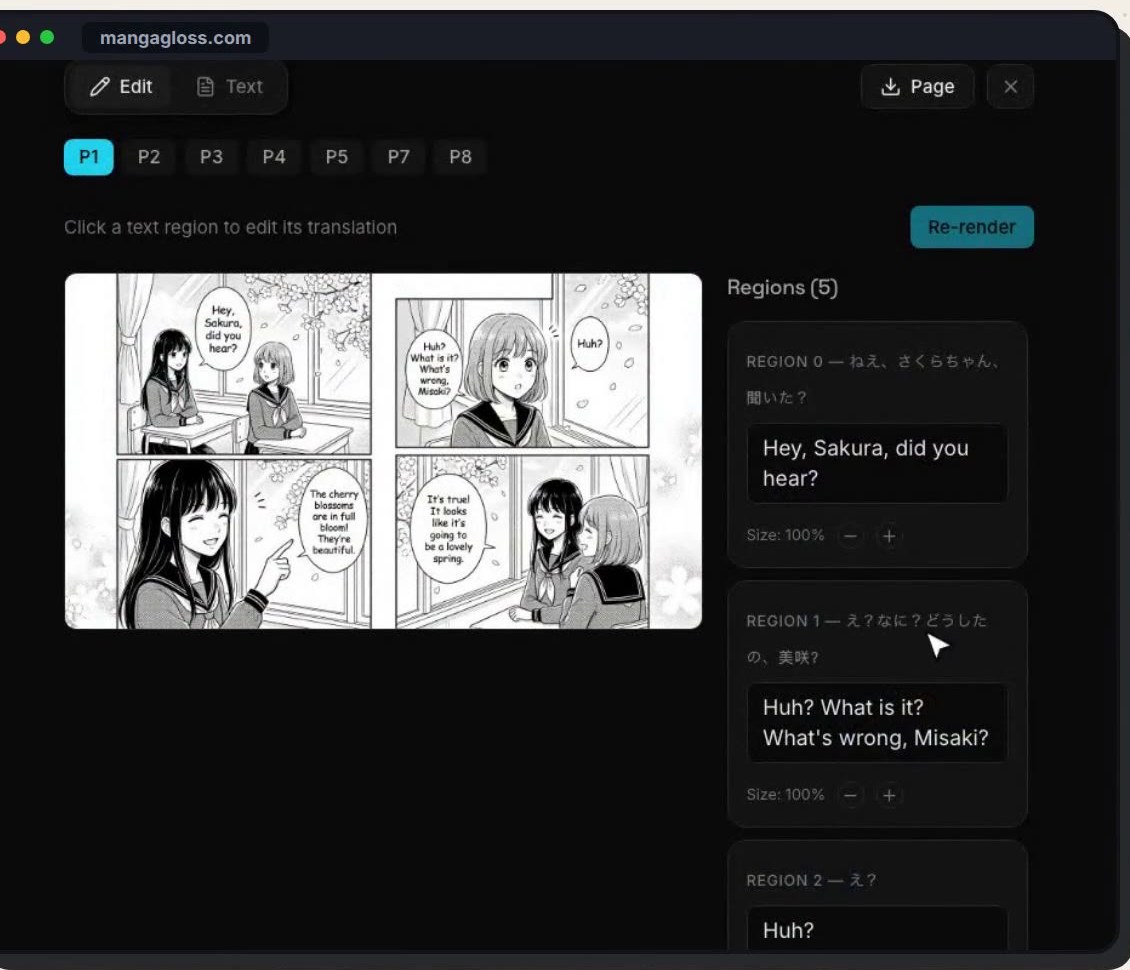
AI gets most lines right, but you’re the one who knows the series. Open the editor and every text region sits next to the page with the original text above your translation. Change a name, fix a joke, adjust the text size, then re-render the page.
Step 8: Download the chapter as a ZIP or PDF
When you’re happy, download the whole chapter in one click: a ZIP of numbered pages for your reader app, or a single PDF that’s easy to read on a tablet or phone. You can also download any single page on its own.
Manga, manhwa and manhua: what’s different?
| Manga | Manhwa | Manhua | |
|---|---|---|---|
| Origin | Japan | Korea | China |
| Language | Japanese | Korean | Chinese (Simplified or Traditional) |
| Reading direction | Right to left, often vertical text | Left to right, often long vertical strips (webtoon) | Left to right, page or webtoon format |
| What makes it hard to translate | Vertical text, furigana, honorifics, sound effects | Very long strips, text over artwork | Two character sets, cultivation terms and names |
A good AI translator has to handle all three formats. If you mostly read webtoons, the same steps above work: upload the long strip images and they’re treated like any other page.
5 tips for better AI manga translations
- Start with clean, high-resolution raws. Better input is the single biggest quality boost you can get.
- Translate the whole chapter together, not page by page. The context from earlier pages helps keep names and tone consistent.
- Check names and honorifics. Decide once whether you want “Sakura-chan” or “Sakura” and fix it in the editor if needed.
- Don’t over-trust sound effects. SFX are drawn into the art and are the hardest thing to translate well. Read them as a bonus, not a guarantee.
- Read the result like a reader would. AI is fast, but a quick human pass over a chapter catches the one line that changes the meaning of a scene.
Is it legal to translate raw manga with AI?
Translating a chapter for your own private reading is how most people use an AI manga translator. Sharing or uploading translated chapters of someone else’s work is a different story, because the series is still owned by its author and publisher. If an official translation exists, buying it is the best way to support the creators. This isn’t legal advice, so if you plan to publish translations, check the rules where you live.
Frequently asked questions
How long does it take to translate a manga chapter with AI?
With MangaGloss, a typical page is usually done in under a minute, and the pages of a chapter are processed together, so you can start reading the first pages while the rest are still finishing.
Can I translate manhwa and manhua too?
Yes. MangaGloss translates Japanese manga, Korean manhwa and webtoons, and Chinese manhua in Simplified or Traditional Chinese.
Do I need to install anything?
No. It runs in your browser on Windows, Mac, Linux or your phone, and the heavy AI work runs on cloud GPUs, so you don’t need a graphics card.
Is it free?
You can translate your first pages for free without creating an account. See the pricing page for current free and paid limits.
What’s the best manga translator?
It depends on what you read and how much you care about typesetting. We compared the main options in our guide to the best manga translator.
Try it on your next raw chapter
Pick the chapter you’ve been waiting for, drop the pages into MangaGloss, and you’ll be reading it in English in about a minute. If you want more walkthroughs, the MangaGloss YouTube channel has short video guides for every feature.