Best AI Image Translator Tools

Foreign text in a manga panel, screenshot, or menu can stop you cold. An AI image translator reads the text, converts it, and often rebuilds the image in the new language. Here are the best options, with a clear pick for comic pages and a few strong alternatives for general image work.
1. MangaGloss, Built for manga, manhwa, and manhua translation
MangaGloss is a free AI image translator made for raw comic pages. It combines OCR, translation, inpainting, and typesetting in one workflow.
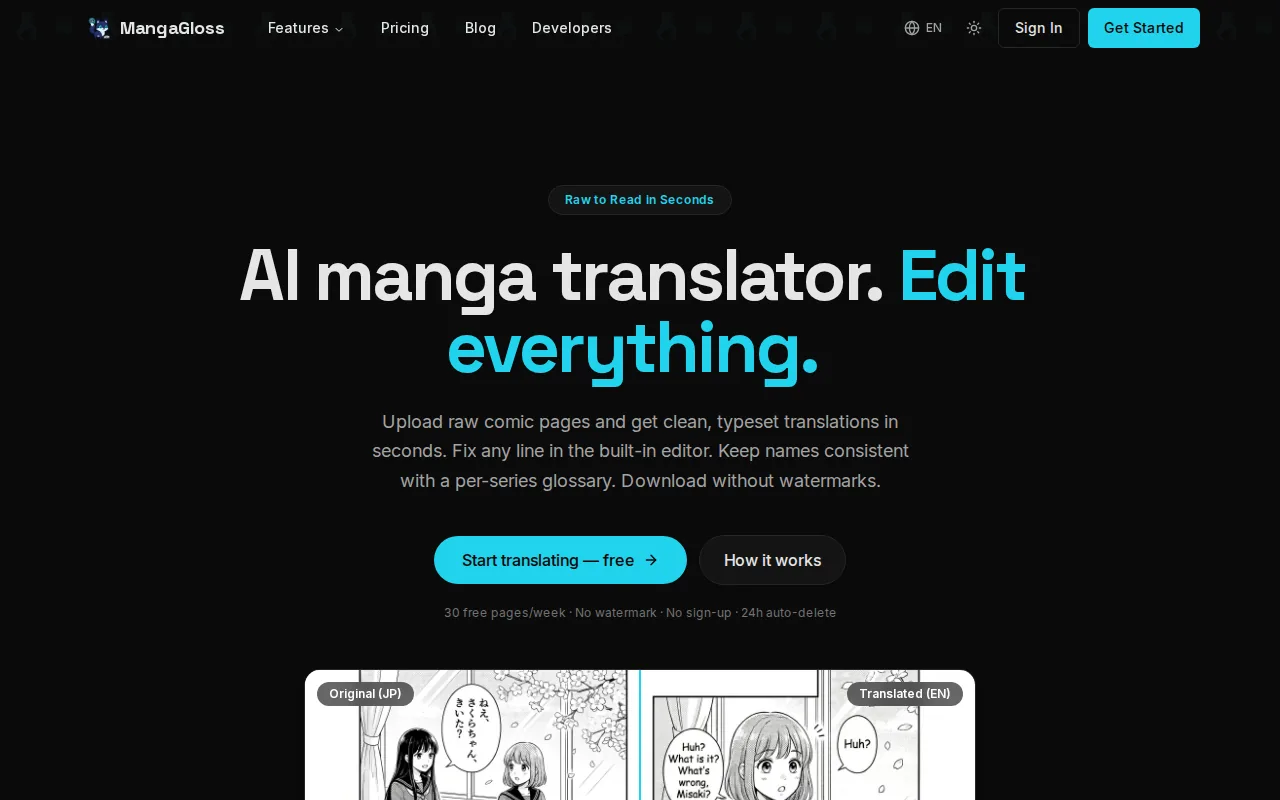
It’s best for translation teams, indie comic creators, scanlation groups, and language learners who need a readable page rather than plain extracted text. Upload PNG, JPG, or WebP files, choose a target language, then let the system process the page.
The key difference is the full pipeline. OCR finds the text. Translation handles the words. Inpainting removes the source text while restoring the page behind it. Typesetting places the translated words back into speech bubbles or narration boxes.
That matters with manga because the job doesn’t end when the words are translated. A separate OCR tool may leave you with a text file. A separate image editor may still be needed to erase bubbles and fit new lines. MangaGloss handles those stages together, so the handoff is much shorter.
The free tier also makes it easy to test several pages before committing to a paid workflow. You can translate manga pages online with MangaGloss and review whether the wording, bubble fit, and page cleanup match your needs.
There are limits to keep in mind. AI drafts still need human review, especially for jokes, sound effects, names, and lines that depend on earlier pages. MangaGloss is the strongest fit here when comic editing matters more than a huge language count.
2. Comic Translate, Fast multi-page comic translation
Comic Translate is an AI image translator aimed at people who want to process comic pages with little setup.
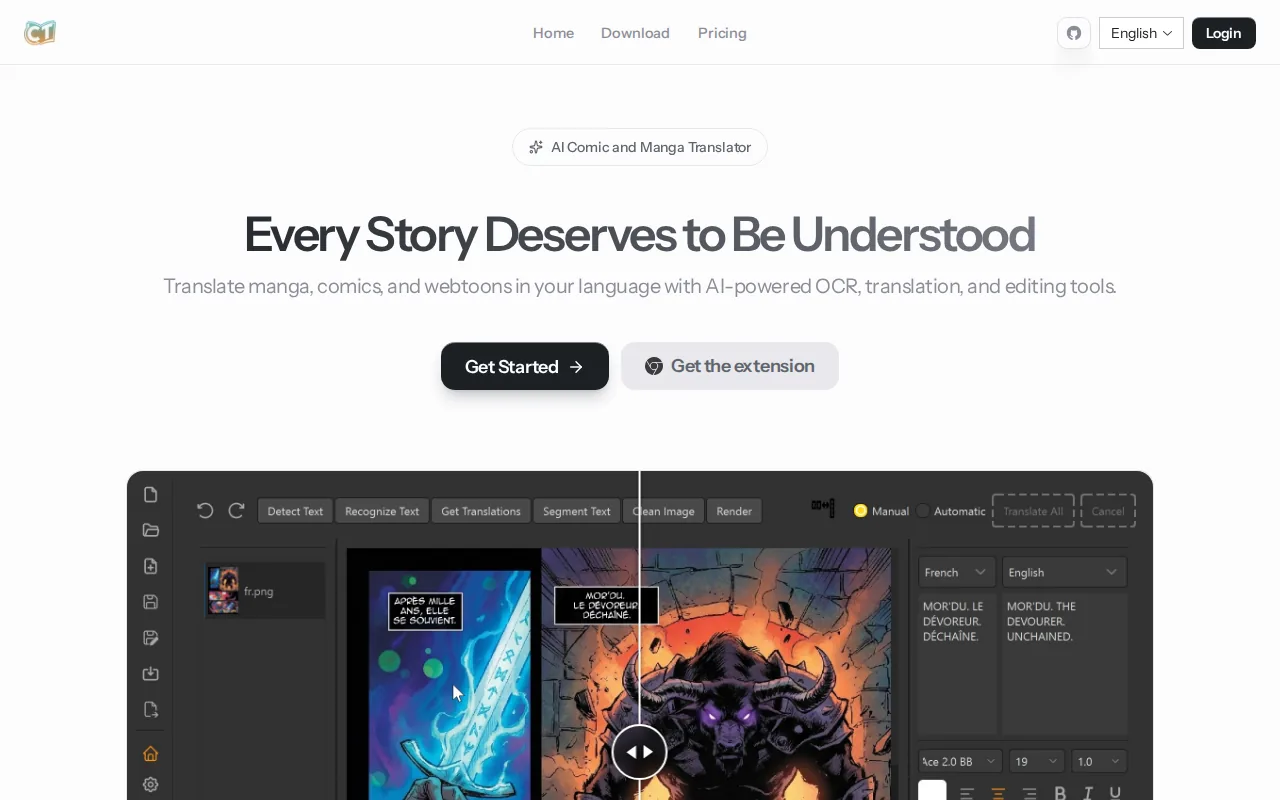
It’s best for readers and small teams working through more than one page at a time. Its listed language support includes Japanese, Korean, Chinese, French, English, and more. The service also supports single-click translation across multiple pages.
Batch work changes the task. Instead of uploading one panel, waiting, then repeating the same action, you can submit a group of pages in one pass. That suits a short chapter or a folder of screenshots where the goal is quick understanding.
The service also lists automatic artifact removal and automatic inpainting. Those functions matter when the translated image needs to look close to the source page. Text removal can be harder than OCR when letters overlap artwork, screen tones, or detailed backgrounds.
Still, speed should not replace review. A batch result can repeat the same wrong name or mistranslate a sound effect across several pages. Check the first few pages before processing a large set, then keep a record of terms that need manual correction.
Comic Translate is a sensible choice for fast comic reading. For teams that need more control over wording and typesetting, MangaGloss remains the better first test because its workflow is built around editing as well as translation.
3. ImageTrans, A scanlation-oriented editing workflow
ImageTrans is a computer-aided image and comic translation tool with a deep editing workflow. It’s best for scanlation groups, advanced users, and college students who need control over each stage.
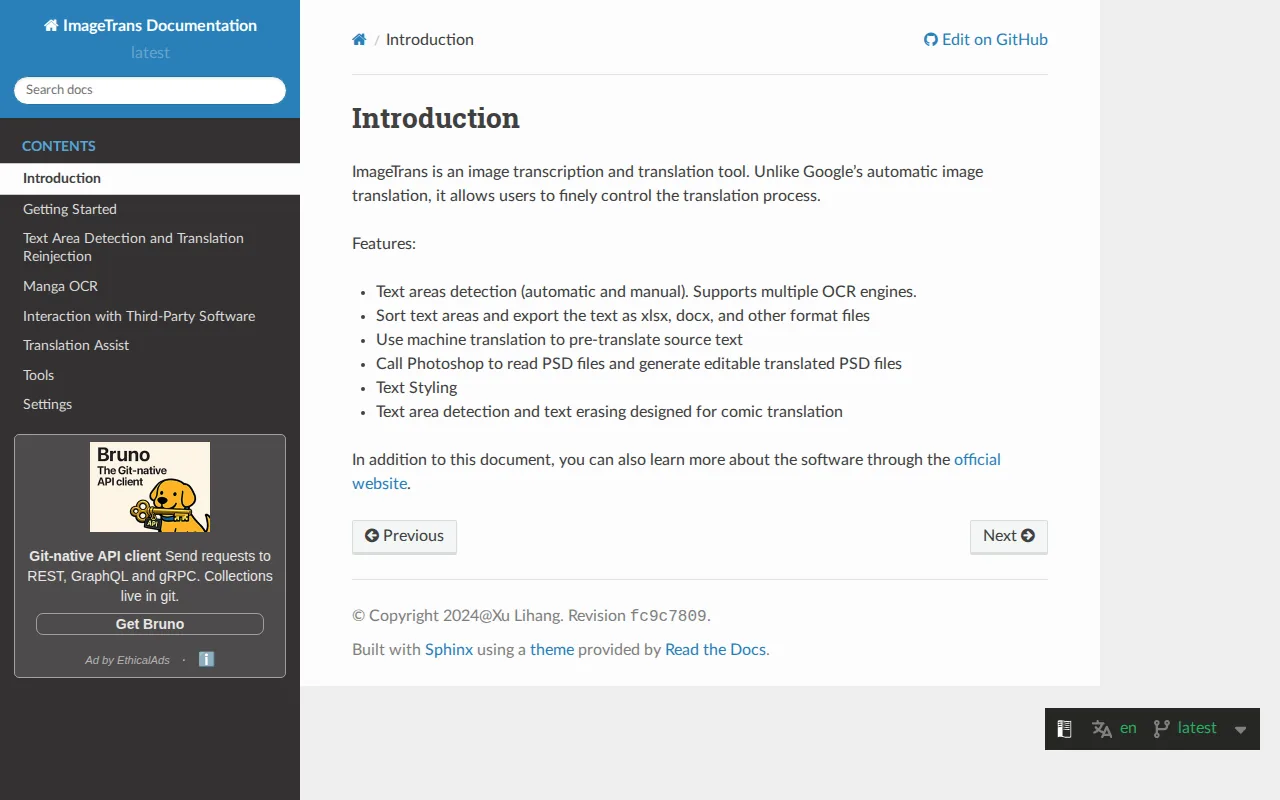
The tool can locate text areas, run OCR, erase source text, and reinject a translation. Its comic-focused detection is designed to handle speech bubbles, vertical Japanese or Chinese text, and complex layouts. It also supports several OCR and machine translation engines.
That makes ImageTrans more like a workbench than a one-click upload page. You can compare translation results, manage terms, use translation memory, and add furigana or pinyin for study. It can also export PSD files with separate text layers, which helps a designer continue the work in Photoshop.
Its wider tool set covers screenshots, scanned PDFs, searchable PDFs, subtitles, and screen-region translation. Batch processing is another strength. Custom pipelines can chain detection, OCR, translation, and rendering for large jobs.
The trade-off is setup time. ImageTrans has many controls, integrations, and export paths. That’s useful for a trained team, but it can feel heavy if you only want to control matters more than a short learning curve.
4. ImageTranslate, Flexible pipelines without API complexity
ImageTranslate is an AI image translator for quick image localization without requiring users to build an API workflow.
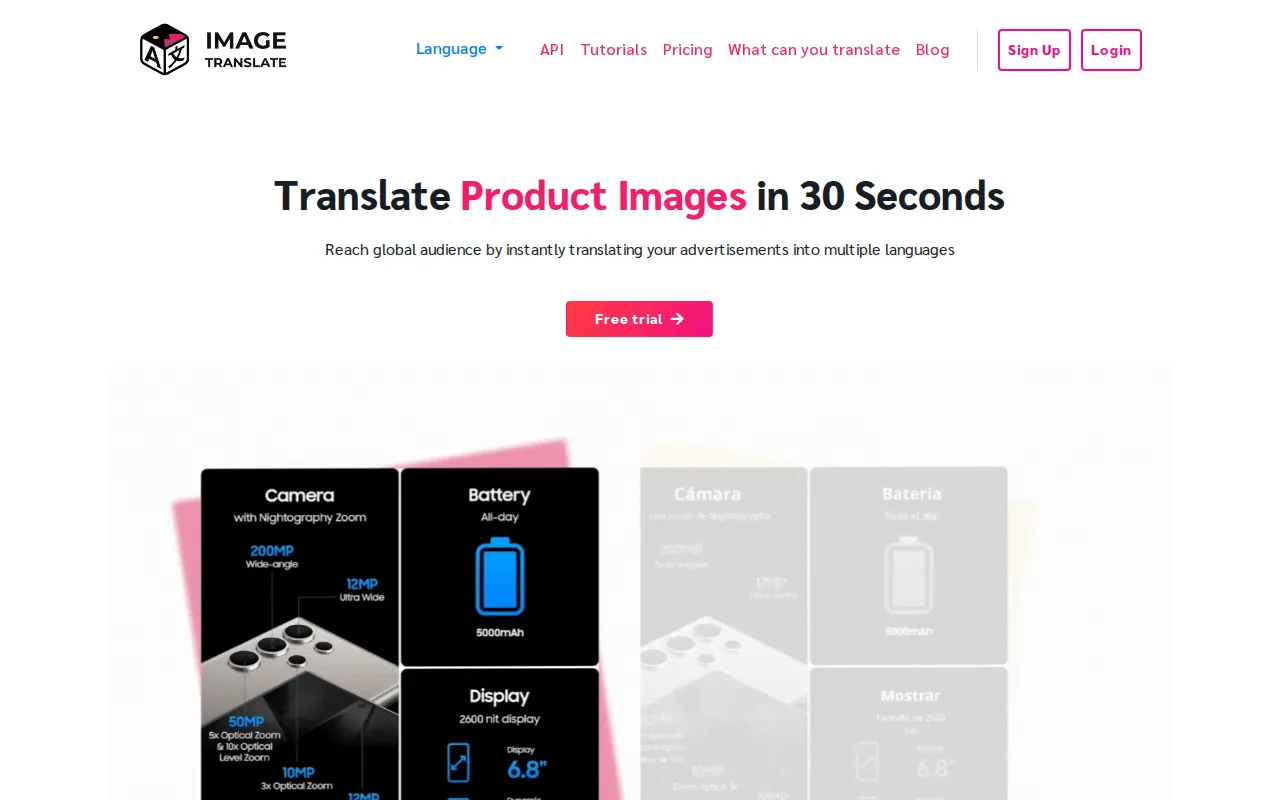
It’s best for teams that translate repeated visual assets, such as ads, product graphics, scanned PDFs, and campaign images. The listed file types include JPG, PNG, BMP, and scanned PDFs.
The service detects text in separate parts of an image, removes the original wording, and applies matching formatting to the translated text. It lists support for 40 languages and multiple OCR engines. That combination is useful when a design has several text blocks with different positions or sizes.
Projects can track image status across selected languages. This gives a team a way to see which assets are ready and which still need review. Custom pipelines, command-line use, and an API server are also listed for users who want automation later.
Pricing information is described as free with limits. Check the current plan terms before moving a high-volume project into production. A free test can show how the system handles small fonts, curved text, logos, and busy backgrounds.
ImageTranslate fits general visual localization better than comic-first work. If the page has speech bubbles, sound effects, or manga reading order, a comic-focused tool such as MangaGloss may require less cleanup.
5. WaveSpeedAI, API access for developer-built image translation
WaveSpeedAI is an AI image translator built for developers who want to add image translation to an app, site, or internal workflow.
It’s best for teams that already work with APIs or need batch localization inside another product. The service provides an API, and Python SDK access is available.
WaveSpeedAI is also the only tool in this shortlist with a reported OCR figure. WaveSpeedAI reports over 95% accuracy for printed text in certain conditions. Treat that as a reported figure, not a promise for every scan, font, or comic panel.
The API supports JPEG and PNG output. Developers should still test latency, error handling, image limits, and retry behavior before setting a production target.
| Best use | What to check first | Why it matters |
|---|---|---|
| App or website integration | API response flow | Your product must receive the translated image in a reliable way. |
| Printed documents | Text size and scan quality | OCR results can change when the source image is blurred or compressed. |
| Comic pages | Inpainting and typesetting | Language breadth alone does not remove text or fit it into bubbles. |
| Large batches | Cost and processing time | Processing costs can grow across a full asset library. |
For teams measuring request speed across media services, a media API latency guide can help turn vague speed goals into testable service targets.
WaveSpeedAI is a strong technical option. But it focuses on image translation through an API. It does not list the same manga-specific inpainting and typesetting workflow as MangaGloss, so creators may need extra tools after the translation call.
How to choose an AI image translator
Start with the output you need. A translated text layer, a translated image, and a finished comic page are different jobs.
- For manga and manhwa: Check text detection, inpainting, bubble fit, sound effects, and edit controls.
- For screenshots: Look for quick upload, screen capture, copyable OCR text, and simple export.
- For documents: Check PDF support, columns, tables, handwriting, and whether the source layout survives.
- For repeated business assets: Review batch tools, project status, file types, language coverage, and export formats.
- For software teams: Confirm API access, SDK support, request limits, output formats, and data handling.
Privacy deserves a close look too. An online tool may send an uploaded image to remote servers for processing. Avoid uploading private records until you understand storage, deletion, and account rules. For sensitive work, a local option such as ImageTrans may be worth the added setup.
FAQ
What is the best AI image translator for manga?
MangaGloss is the best fit for manga, manhwa, and manhua pages because it combines OCR, translation, inpainting, and typesetting. It also has a free tier, so you can test a few pages before building a larger workflow. Human review still matters for jokes, names, sound effects, and lines that need story context.
Can an AI image translator keep the original layout?
Yes, many image translation tools try to preserve the original layout, spacing, and visual style. Results depend on text size, background detail, and the shape of the text area. A clean poster may translate well on the first pass, while a crowded comic panel may need edits after OCR and rendering.
What file types do image translation tools support?
Common formats include JPG, PNG, and WebP, while some tools also accept BMP files or scanned PDFs. The exact list differs by product. Check file size limits and output formats before starting a large job, especially if the translated images must return to a design or publishing system.
Can AI translate text from screenshots?
Yes, an AI image translator can read many screenshots after you upload them or capture a screen region. It may also let you copy the recognized text separately from the translated image. Results drop when text is tiny, blurred, partly hidden, or mixed with decorative artwork.
Are free image translators really free?
Some tools have free access, while others limit calls, languages, file size, or export choices. MangaGloss provides a free tier for its comic workflow. WaveSpeedAI offers 50 free API calls, while ImageTranslate is free with limitations. Always check current terms before relying on a free plan.
For comic pages, start with MangaGloss and test a difficult page, not a perfect sample. Upload a small set, review the wording and cleanup, then move to a larger chapter when the output fits your needs.