
Manga Typesetting with AI: How to Clean and Letter Raw Pages
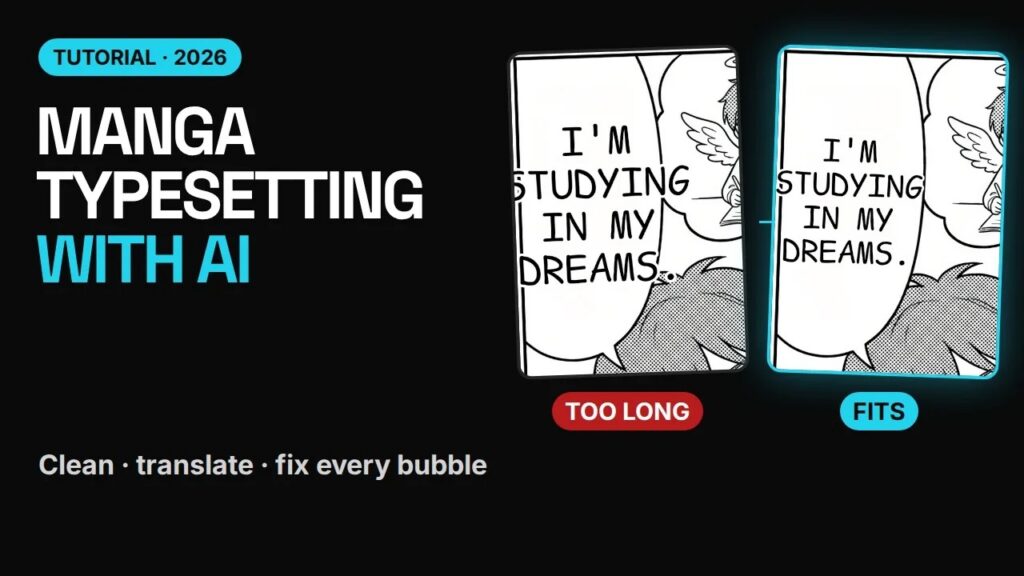
Cleaning and typesetting a manga page by hand can take an hour: erase every line of the original text, redraw the art behind it, then letter the translation so it fits each bubble. This tutorial shows how to clean and typeset raw manga pages with AI in under a minute, and how to fix the bubbles the AI gets wrong.
Watch the typesetting tutorial (2:07)
Two real pages: a Japanese school manga and a Chinese manhua page, from raw to lettered, including the bubbles that needed fixing.
Cleaning vs typesetting: what’s the difference?
- Cleaning (or redrawing) means erasing the original text from the bubbles and from the art around it.
- Typesetting (or lettering) means placing the translation back inside each bubble so it fits and reads well.
In a traditional scanlation team these are often two different jobs. An AI manga typesetting tool does both in one pass: it finds each bubble, paints the old text out, and letters the translation in.
How to typeset a manga page with AI
Step 1: Upload and translate
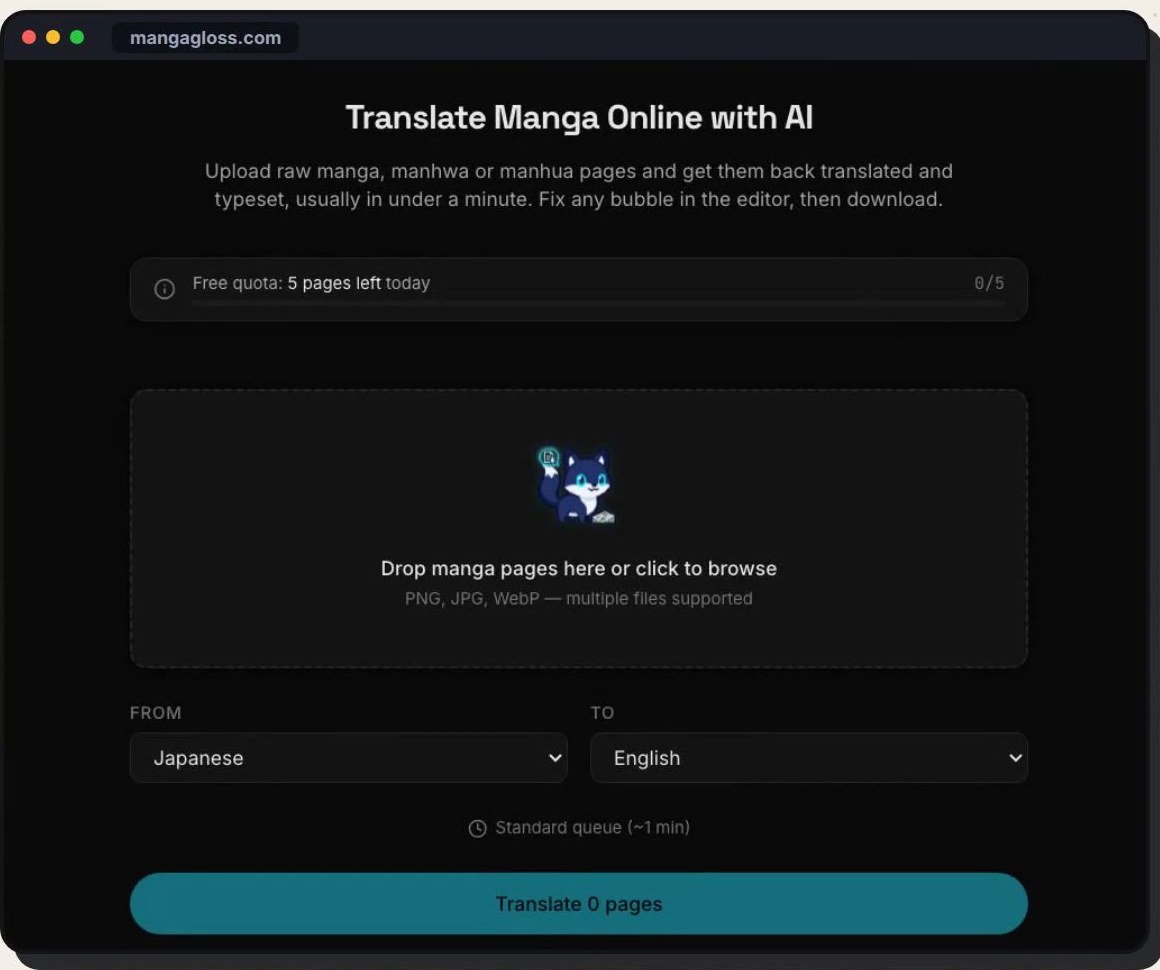
Open the AI manga translator and drop in your raw page. Set the languages (Japanese to English in the video) and click Translate. The Japanese page in the tutorial took 44 seconds.
Step 2: Check each bubble
The original text is gone and every bubble has English in it. But look closely: some lines are too big for their bubbles. In the video, “The test is tomorrow” runs off the edge, and so does a line about sleeping. Fixing that is typesetting work.
Step 3: Open the Edit tab
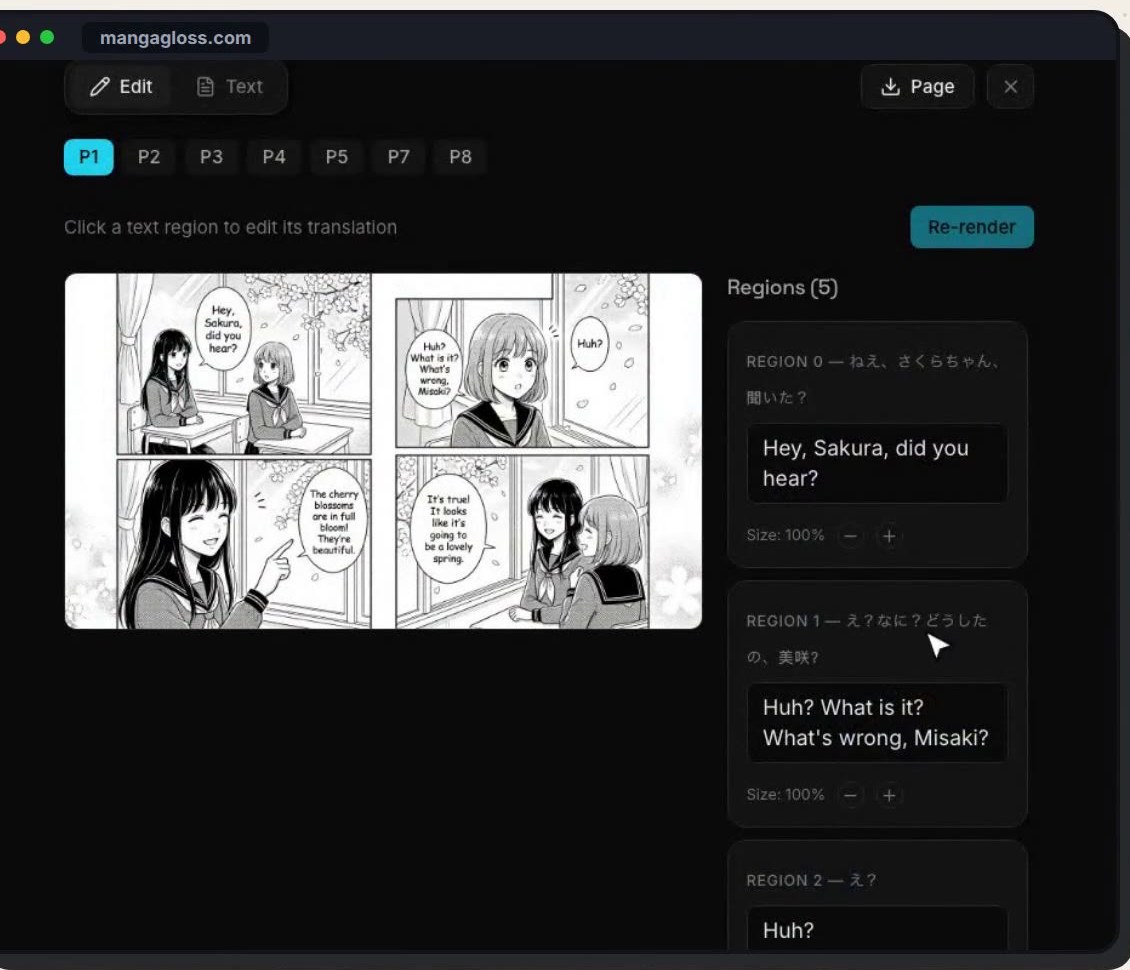
Every text region is listed next to the page. Click a region and its bubble lights up on the page, so you always know which line you’re changing.
Step 4: Shrink the lettering and re-render
Press the minus button to make the lettering smaller. In the tutorial, three regions went down to 80%. Then click Re-render. The page is lettered again with your settings, which takes a few minutes, and the lines now fit.
Step 5: Hand-letter the bubbles AI can’t fit
Some bubbles have no room at all, for example one cut off by the edge of the page. For a bubble like that, letter the line by hand in your own tool. Copy the text from the Text tab so you don’t have to retype it.
Step 6: Download
When every bubble fits, click Download. For a whole chapter you can download a ZIP of all pages or a single PDF.
Example 2: typesetting a Chinese manhua page
On the second page in the video, a Chinese manhua page, the last line poked out of the top and bottom of its bubble. Same fix: select the region, press minus twice, re-render. The line then sits inside the bubble with room to spare. Manhua and manhwa often use tall, narrow bubbles, so expect to shrink a few lines more often than with Japanese pages.
Manga typesetting checklist
| Check | Why it matters | Quick fix |
|---|---|---|
| Text stays inside every bubble | Overflowing text is the first thing readers notice | Shrink the region, re-render |
| No leftover original text | Half-cleaned bubbles look unfinished | Check small bubbles and captions |
| Readable size | Tiny text is hard to read on phones | Shorten the line instead of shrinking it too far |
| Bubbles cut by the page edge | No room for automatic lettering | Hand-letter from the Text tab |
| Sound effects | Drawn into the art, hardest to replace | Leave or hand-letter the important ones |
How the quality check helps typesetting
MangaGloss now runs an automatic quality check after each page is translated. It re-checks every bubble for text that overflows, lines that were missed and words left untranslated, and fixes them before the page is marked done. That means fewer bubbles to fix by hand, though a final look at every page is still worth it before you share a chapter.
Tips for cleaner AI typesetting
- Start with high-resolution raws. Clean, sharp pages give better text detection and cleaner backgrounds after the text is removed.
- Edit all regions, then re-render once. Re-rendering takes a few minutes, so batch your changes.
- Prefer shorter lines over tiny text. If a line needs to go below about 80%, rewrite it shorter instead.
- Keep the Text tab open. It’s the fastest way to grab a line for hand lettering or proofreading.
- Translate the chapter together. Consistent context means fewer wording changes later. See how to translate a whole chapter with AI.
Frequently asked questions
Can AI typeset manga?
Yes. AI can clean the original text and letter the translation into each bubble automatically. Most bubbles fit on the first pass; a few need their size reduced or a shorter line.
How long does AI typesetting take?
The first pass is usually under a minute per page (44 seconds for the Japanese page in the video). Re-rendering after edits takes a few minutes.
Is AI typesetting good enough for scanlation?
It’s a fast first draft. Teams still check every bubble, handle sound effects and hand-letter difficult bubbles. See MangaGloss for scanlators.
Does it work for manhwa and manhua?
Yes. The tutorial includes a Chinese manhua page, and Korean manhwa and webtoon strips work the same way.
Try AI typesetting on your own page
Drop a raw page into the manga translator, check each bubble, shrink or rewrite what doesn’t fit, and download a clean, lettered page.